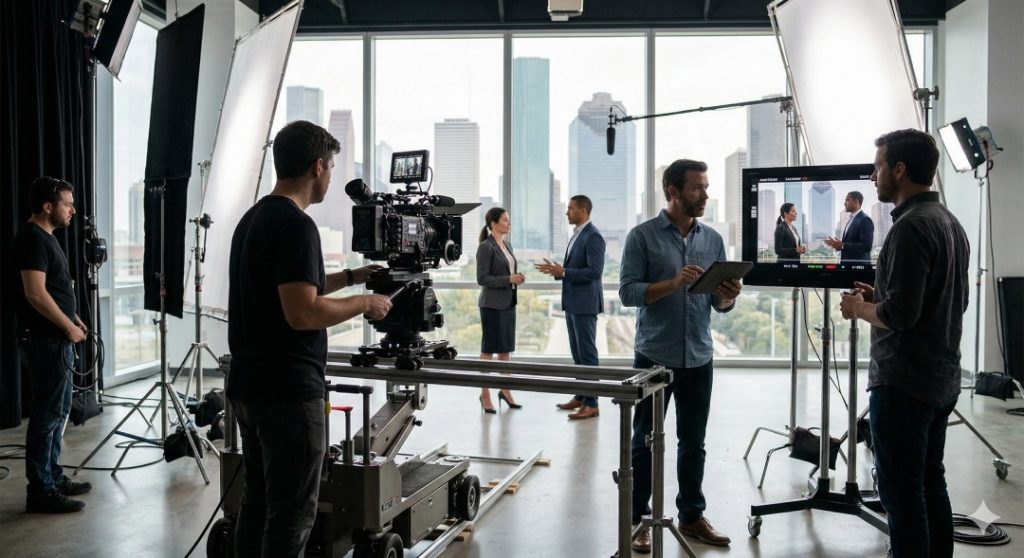
How To Write A Corporate Video Script?
A great corporate video begins long before the cameras roll. It starts with a script, the invisible architecture that shapes everything the audience feels and understands. A well-written script translates complex ideas into clear, emotionally charged visuals. Without it, even the best cinematography can fall flat.
A good video script works like a GPS for production: it keeps every department, camera, sound, voiceover, and editing, heading toward the same destination.
Think about it. You wouldn’t build a house without a blueprint. In the same way, you shouldn’t shoot a corporate video without a solid script guiding every word and frame.
Impact on Audience and ROI
A sharp script connects storytelling with business goals. It influences how long viewers stay engaged and how well they remember your brand. Companies that prioritize scripting often see higher conversions and stronger audience retention. Why? Because a focused script respects attention spans, it knows how to get to the point quickly.
Every sentence should work toward one thing: inspiring trust. When trust rises, so does action. Whether it’s a click, call, or purchase, a clear script leads people there smoothly.
First 5 Seconds: The Modern Attention Test
The first five seconds are your only window to earn attention. In this short span, a viewer decides if your video is worth watching or skipping. Open with a striking image, an emotional statement, or a question that hits close to home. The goal isn’t just to entertain, it’s to make the viewer think, “That’s me” or “That’s my problem.”
Know Your Audience
Writing a great corporate video script begins with empathy. You need to know who’s watching. When you understand your audience’s desires and frustrations, you write with precision instead of guessing.
Demographics and Psychographics
Demographics tell you who they are (age, income, role, etc.), while psychographics explain why they act (values, fears, motivations). For example, a business owner in Timber Oaks might prioritize efficiency and community reputation, while a young entrepreneur might care more about innovation and branding.
Persona Worksheet: Quick Example
- Name: Maria, Small Business Owner
- Age: 35
- Goal: Attract more local clients in Timber Oaks
- Pain Point: Struggles to explain her brand story
- Preferred Style: Clear, friendly, and trustworthy tone
When you write for a persona like Maria, your script feels personal.
Define the Goal and Message
Every great corporate video starts with one goal. Are you trying to introduce your company? Promote a service? Recruit new team members? Pin that down before you type a single line.
Single Objective Approach (One Clear CTA)
A common mistake is trying to achieve too many things in one video. Instead, build the entire script around one powerful call-to-action (CTA). Maybe it’s “Schedule a consultation” or “Visit our Timber Oaks office.” Keep it simple and repeat it near the end.

Research and Discovery
Before you write, dig into the details. Research how your competitors communicate, how your customers talk about your brand, and what messages perform best online.
Brand Voice, Competitors, and Market Signals
Your script should sound like you, not your competition. If everyone else uses corporate jargon, take the opposite route, use plain English that feels authentic. The audience connects faster with clarity than with buzzwords.
Local Context: Timber Oaks Insight
If your business serves Timber Oaks, add touches that locals recognize. Mention the neighborhood vibe, nearby landmarks, or the kind of people who work and live there. Local context builds authenticity and shows your brand understands the community.
Structure of a Corporate Video Script
Think of your script as a mini-story. Every effective corporate video follows a structure: Hook → Problem → Solution → Call to Action.
Classic Story Arc for Short Brand Videos
This framework keeps the viewer emotionally connected from start to finish.
Hook (0–7 seconds)
Start strong. Pose a question, show an emotion, or reveal a surprising fact. Example: “What if your business could run itself while you sleep?”
Problem (7–20 seconds)
Describe the challenge your target audience faces. Use visuals that make the issue relatable and urgent.
Solution + Proof (20–45 seconds)
Present your brand or product as the hero. Back it up with data, testimonials, or quick demonstrations. Let viewers see the transformation.
Call to Action (Last 5–10 seconds)
End confidently. Use a friendly yet firm tone: “Visit us at Nightwolf Productions here in Timber Oaks to start your story today.”
Hook Writing Techniques
Your hook decides if people keep watching.
Use Surprise, Empathy, or Sharable Facts
Start with something unexpected or emotionally relatable. For example:
- “Every minute, 300 hours of video are uploaded online, how do you stand out?”
- “Your story deserves more than a slideshow, it needs a heartbeat.”
These lines stir curiosity and emotion right away.
Writing the Body: Keep It Human
Corporate videos aren’t meant to sound robotic. Write like you’re talking to a friend. Use contractions, natural pauses, and everyday language.
Use Scenes, Not Descriptions
Instead of saying, “Our system boosts productivity,” show it: “Mark logs in, clicks one button, and his weekly report is ready before his coffee cools.” Viewers remember visuals more than claims.
Tone, Voice, and Language
Your tone defines your brand’s personality. Is it friendly, expert, or bold? Keep it consistent across the entire script.
Keep Jargon Light and Voice Active
Active voice gives energy. For example: “Nightwolf Productions crafts your story with purpose,” not “Your story is crafted with purpose by Nightwolf Productions.” The first one feels alive.
Dialogue vs Voiceover vs On-Screen Text
How you deliver your words matters as much as the words themselves.
When to Use Each, and How to Write Them
- Dialogue: Great for testimonials or employee stories. Keep it natural and unscripted.
- Voiceover: Perfect for explainers or brand overviews. The tone should match your audience’s emotion.
- On-screen text: Use for emphasis or statistics. Keep phrases under seven words to maintain readability.
Visual and Audio Cues: Write for the Camera
Your script isn’t just words, it’s instructions for visuals and sound.
B-Roll, Cutaways, Music and Sound FX Notes
Add short notes like: (Cut to aerial view of Timber Oaks skyline) or (Soft acoustic background builds confidence). These cues guide editors and ensure the visuals complement the narration.
Script Formatting and Technical Notes
A neat format keeps production smooth.
Two-Column vs Single-Column Formats
A two-column script separates visuals from audio. The left column lists what’s on screen; the right holds the dialogue or narration. It’s ideal for collaboration. A single-column format works better for simple narration-only projects.
Timecodes, Shot Length, and Camera Directions
Each section of your script should estimate timing. Mark transitions and tone shifts. Example: (00:20 – 00:30) for the solution segment.
Timing and Pacing: Words Per Second
The average narrator speaks about 150 words per minute. Keep sentences short and punchy. Allow pauses for impact or scene changes.
Estimating Read Time and Scene Length
A 90-second script usually runs 200–220 words. Read it aloud while timing yourself, it’s the most accurate way to spot pacing issues.
Testing the Script: Read-Aloud and Table Reads
Once your draft is ready, test it. Reading aloud catches awkward phrasing, long sentences, or unnatural rhythm.
Feedback Loop and Revision Stages
Record a rough voiceover and listen critically. Does it flow naturally? Do visuals match the emotion? Share it with team members for feedback before finalizing.
Common Mistakes to Avoid
Even skilled writers slip up.
Overwriting, Vagueness, and Weak CTAs
Don’t try to say everything. Avoid filler like “industry-leading” or “innovative solutions.” Instead, show evidence or results. And never fade out without a clear action step.
Production Handoff Checklist
When you hand your script to the production team, clarity matters.
Clear Deliverables and Legal Notes
Include final runtime, scene breakdowns, and visual notes. Mention licensed music, footage permissions, or required brand assets. Clear documentation avoids confusion on shoot day.
Nightwolf Productions, Script Services in Timber Oaks
Nightwolf Productions helps local businesses turn ideas into scripts that sell. Based near Timber Oaks, our team blends creative storytelling with marketing insight. We understand the power of a good message and how to deliver it on screen.
Our process starts with research, learning about your brand, audience, and goals. Then we draft scripts that fit your timeline and tone. Whether it’s a corporate brand video, recruitment film, or testimonial piece, Nightwolf Productions writes with clarity and authenticity.
What Nightwolf Offers and How We Work
We handle every step: concept, scriptwriting, and storyboarding. Clients in Timber Oaks trust us because we keep scripts tight, natural, and production-ready. Our work focuses on storytelling that converts interest into trust and trust into action.
Quick Templates and Swipe Files
Need a fast start? Use these script skeletons to outline your story.
30-Second Script Template
- 00:00–00:05 – Hook (Engaging question or visual)
- 00:05–00:15 – Problem (Show pain point)
- 00:15–00:25 – Solution (Demonstrate benefit)
- 00:25–00:30 – CTA (Simple and strong)
90-Second Script Template
- 00:00–00:07 – Hook
- 00:07–00:25 – Problem setup
- 00:25–00:60 – Solution and proof
- 00:60–00:85 – Results and benefits
- 00:85–00:90 – CTA
Final Tips, Shortcuts, and Next Steps
Keep each line short and visual. Use simple language, strong verbs, and clear direction. Always think like your viewer, what do they care about most? Test, revise, and keep improving. A great script is 70% thinking, 30% writing.

Nightwolf Productions Serving the Timber Oaks Community and Beyond in Houston
Nightwolf Productions is dedicated to serving the diverse needs of the local community of Houston, including individuals residing in neighborhoods like Timber Oaks. With its convenient location near landmarks such as the Ace Trucking Academy – CDL School & Testing Site and major intersections like Brittmoore Rd. and Shadow Wood Dr. (coordinates: 29.80457441605919, -95.5682763), we offer corporate video production Houston services.
Get Corporate Video Production at Timber Oaks Now
Navigate from Timber Oaks to Nightwolf Productions Now
Crafting Scripts That Speak, Sell, and Stay in Minds
Writing a corporate video script takes creativity, focus, and empathy. You’re not just writing words, you’re guiding emotion and shaping perception. With the right structure, local insight, and strong CTA, your script becomes a conversion tool.
For businesses in Timber Oaks, Nightwolf Productions stands ready to craft scripts that look good on paper and even better on screen.
FAQs
1. How long should my corporate video script be?
For short videos, 30–90 seconds is ideal. Keep around 150 words per minute for natural pacing.
2. What’s the best way to start a corporate video script?
Begin with a hook, something that sparks curiosity or emotion in the first few seconds.
3. Can I include humor in a corporate video?
Yes, but use it carefully. Humor should fit your brand tone and never distract from your main message.
4. How do I ensure my script feels authentic?
Use real stories, testimonials, or customer examples. Authenticity builds trust faster than perfect wording.
5. Should my script include local details?
Definitely. Mentioning locations like Timber Oaks adds a personal touch and strengthens your connection with the audience.

Bring your vision to life with Nightwolf Productions! Contact us today for a personalized consultation and let’s create something extraordinary together.

Related News